
MEPCO Bill Check Online 2026
From the mango orchards of Multan to the farms of Rahim Yar Khan and the busy markets of Sahiwal, millions of homes in South Punjab get their electricity from one company. If you are one of them, your monthly bill matters a lot, especially in the long, hot summers when fans and coolers run day and night. A MEPCO bill check online lets you see that bill on your phone in a few seconds, even if the paper copy never reached you.
For a MEPCO bill check online, copy the 14 digit reference number from the top of any old MEPCO bill. Enter it in the MEPCO bill checker on this page, or on the official PITC portal at bill.pitc.com.pk with MEPCO selected, and press the check button. Your bill amount, due date, units used and full bill copy will appear. You can save it as a PDF, print it, or pay it through your bank app, JazzCash or Easypaisa.
MEPCO Bill Check
Enter your Reference or Consumer Number
What Is MEPCO
MEPCO stands for Multan Electric Power Company. It is not just a regional company. According to its own annual report, MEPCO is the largest power distribution company in Pakistan, with about 8.8 million customers as of June 2025. That is more people than many countries have.
Fact | Detail |
Full Name | Multan Electric Power Company Limited (MEPCO) |
Formed | 14 May 1998, taking over from the old Multan Area Electricity Board |
Customers | About 8,816,400 as of 30 June 2025 |
Districts Served | 15 districts of South Punjab |
Customer Mix | About 90 percent of customers are domestic households |
Service Area | Mostly rural, with large farming communities |
Head Office | Khanewal Road, Multan |
Regulator | National Electric Power Regulatory Authority (NEPRA) |
Billing System | The MEPCO online billing system runs on the platform of the Power Information Technology Company (PITC) |
Official Website | mepco.com.pk |
With so many customers, a MEPCO bill check online saves millions of people a trip to the office each month. Because nine out of ten MEPCO customers are households, most bills in this region are home bills. That is why the protected slab, which we explain later, matters so much for families across South Punjab.

Districts Covered by MEPCO
If you live in any of the districts below, your electricity bill comes from MEPCO, and the bill checker on this page will work for you.
District | District |
Multan | Muzaffargarh |
Kot Addu | Layyah |
Dera Ghazi Khan | Taunsa |
Rajanpur | Lodhran |
Bahawalpur | Rahim Yar Khan |
Khanewal | Sahiwal |
Pakpattan | Vehari |
Bahawalnagar |
MEPCO manages this huge area through operation circles, including Multan, Muzaffargarh, Dera Ghazi Khan, Bahawalpur, Bahawalnagar, Rahim Yar Khan, Sahiwal, Khanewal and Vehari. Your circle and subdivision names are printed on your bill. Every circle uses the same system, so a MEPCO bill check online works the same way wherever you live.
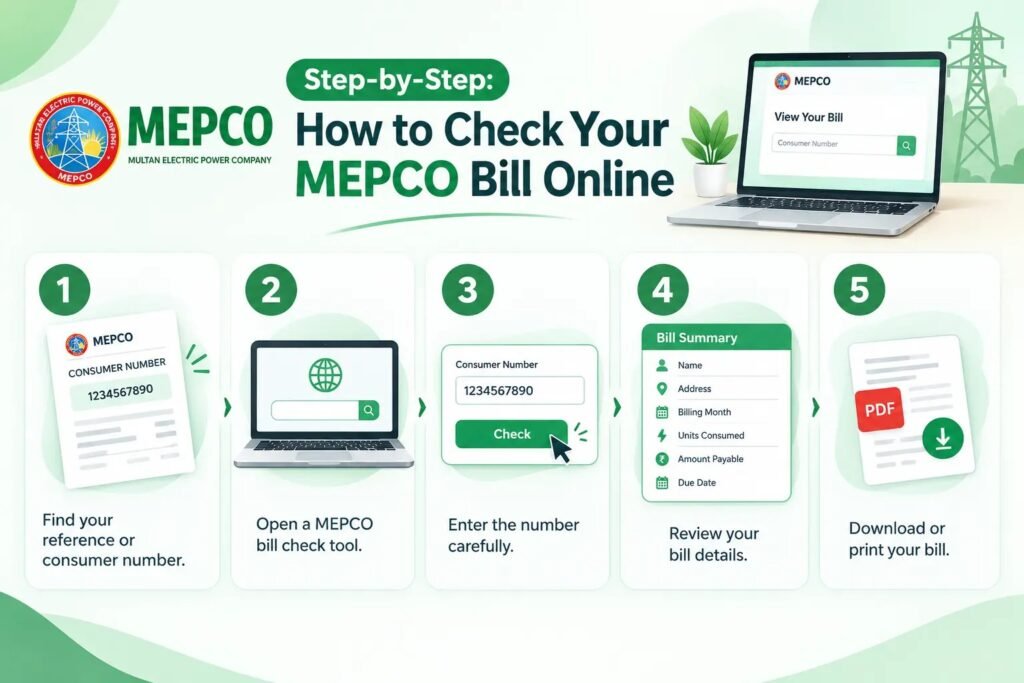
How to Do a MEPCO Bill Check Online
The MEPCO bill checker at the top of this page is free, quick and works on any phone or computer. You do not need to sign up or install anything.
- Take any old MEPCO bill and find the 14 digit reference number near the top.
- Type the number into the MEPCO bill checker. Use digits only, without spaces or dashes.
- Press the check button and wait a few seconds.
- Your MEPCO online bill will open in the same format as the paper bill.
The bill comes from the official PITC record that MEPCO uses, so nothing is changed or calculated by us. What you see after your MEPCO bill check online is exactly what MEPCO has billed.
What You Can Learn From the Result
The screen shows everything you need for a MEPCO current bill check. You can do a quick MEPCO bill amount check, see your MEPCO bill due date, and look at the MEPCO electricity units consumed this month. Your name, address, tariff, any arrears, and a 12 month history of units and payments are also shown. A MEPCO bill inquiry like this takes less time than making a cup of tea.
Finding the Right Number on Your MEPCO Bill
MEPCO Bill Check by Reference Number
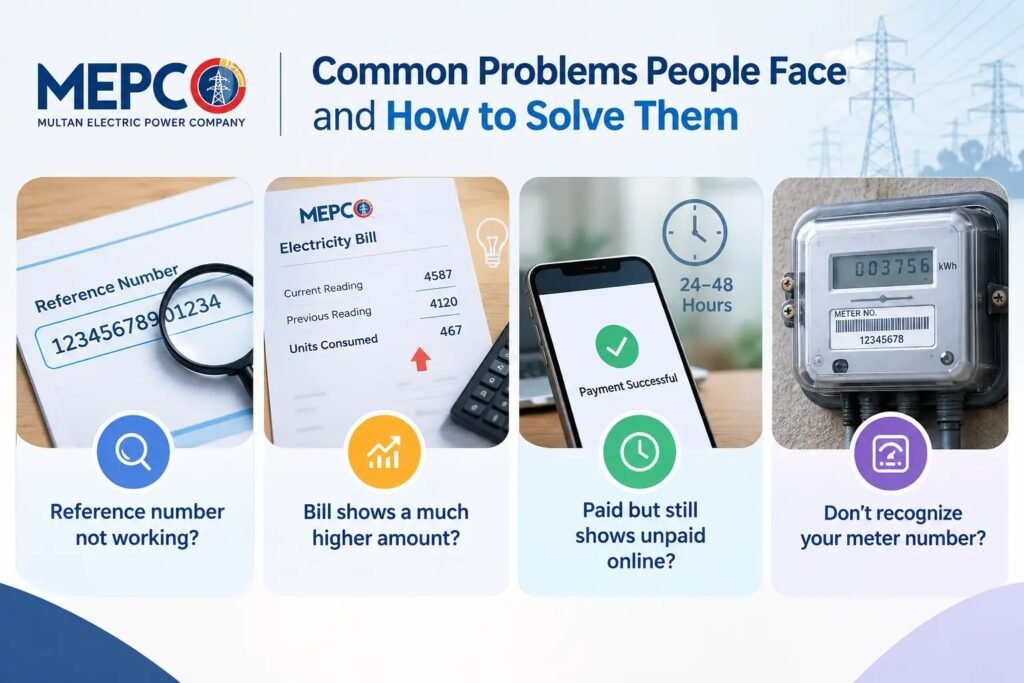
The MEPCO bill reference number is the 14 digit number printed in the top part of your bill. A MEPCO bill check by reference number is the most reliable way to do a MEPCO bill check online, because every connection has its own unique number. Banks, mobile wallets and the PITC portal all use it.
Here is what those digits mean in simple words. The first two digits are your batch, which decides the day your meter is read. The next five digits point to your subdivision office. The last seven digits identify your own connection. Some people call this the MEPCO meter reference number, but it is printed on your bill and not on your meter.
MEPCO Bill Check by Consumer ID
Your MEPCO bill also shows a consumer ID, a shorter number linked to your account. Some tools allow a MEPCO bill check by consumer ID, which helps when you only have this number written down. If a MEPCO consumer ID check does not show your bill, go back to the reference number, which works on every platform.
Lost Every Old Bill?
This is common in villages, where bills are often handed to a neighbor or left at a shop. First, check the payment history in your bank app, JazzCash or Easypaisa, since the reference number is saved there after any past payment. Second, ask family members who may have paid the bill before. Third, look for old payment receipts. If none of these work, call 118 or visit your MEPCO subdivision office with your CNIC and address. The staff will find your number free of charge. You can then do your MEPCO bill check online any time you like.
MEPCO Duplicate Bill: Download and Print in Minutes
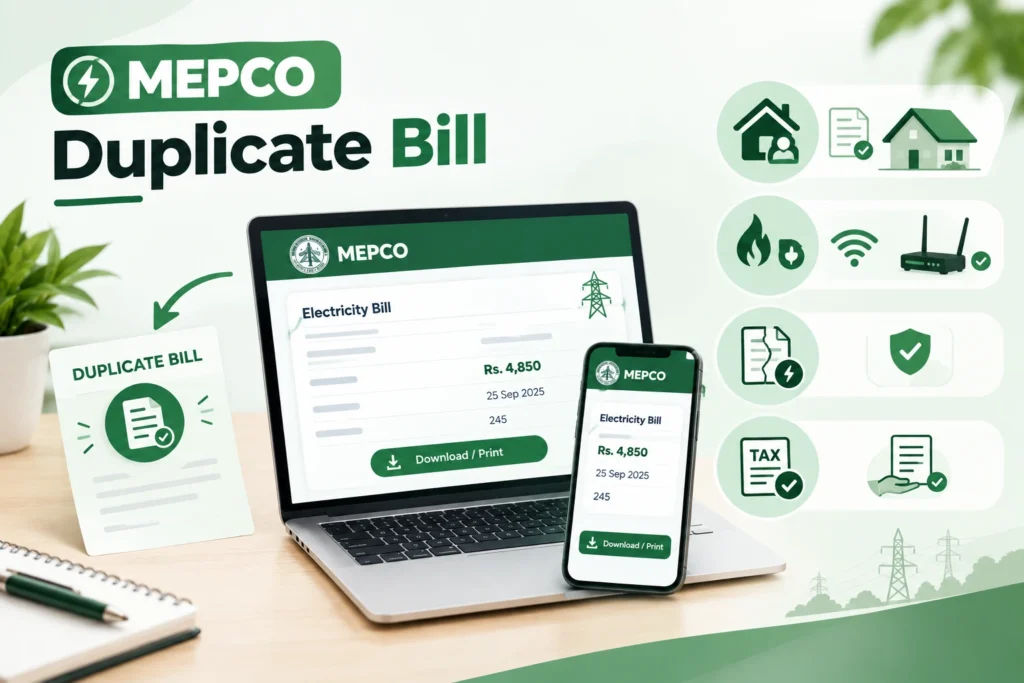
Once your MEPCO bill check online is complete, saving a copy is easy. A MEPCO duplicate bill is an exact copy of your official bill, with the same reference number, amount, due date and barcode. Banks and payment counters accept it just like the paper copy.
MEPCO Bill Download on a Phone
After your bill opens, use the menu or share button in your browser and choose Print. Then select Save as PDF. Your MEPCO electricity bill download PDF will be saved in the Downloads or Files folder on your phone. You can now share it on WhatsApp or keep it for later.
MEPCO Bill Print on a Computer
On Windows, press Ctrl and P together. On a Mac, press Command and P. Choose your printer for a paper copy, or choose Save as PDF for a digital MEPCO online bill copy. Your MEPCO bill print will look just like the original.
Using a Local Shop
If you do not have a printer, many shops in towns and bazaars offer a MEPCO bill printing service for a small fee. To protect your details, carry your saved PDF and ask them to print that file. Ask them to delete it from their computer once they are done.
When You Will Need a MEPCO Duplicate Bill Download
You may need a recent bill for a bank account, a school admission, a rent agreement, a new connection, a load extension or a solar application. Farmers also need bills when dealing with tube well connections. Keeping a MEPCO duplicate bill download on your phone saves trips and time.
Walking Through Your MEPCO Electricity Bill
Once your MEPCO bill check online is done, it helps to read the bill from top to bottom. Here is a simple walk through of the main parts of a MEPCO electricity bill.
The Top: Who and What
The top of the bill shows your name, address, reference number, consumer ID, tariff and sanctioned load. Your tariff tells MEPCO whether your connection is domestic, commercial, industrial or agricultural. A wrong tariff means a wrong rate, so make sure it matches how you use the connection.
The Middle: How Much You Used
This area shows the reading date, the previous reading, the present reading and the units used. It also has a history box with your last 12 months. Comparing this month with the same month last year is the easiest way to judge your MEPCO monthly bill.
The Bottom: What You Pay
This part lists the MEPCO electricity charges and the final amounts. The table below explains each common line.
Line on the Bill | What It Means |
Cost of Electricity | Price of your units, based on your slab |
Fixed Charges | Monthly charge tied to your usage category under the 2026 structure |
FPA | Fuel Price Adjustment, set by NEPRA, which can go up or down |
QTA | Quarterly Tariff Adjustment from regular tariff reviews |
FC Surcharge | Surcharge used to repay power sector debt |
Electricity Duty | Provincial duty on electricity use |
GST | General sales tax |
Income Tax | Applies in some cases, such as commercial connections or larger bills |
Arrears | Unpaid amount carried from earlier months |
Payable Within Due Date | Amount to pay if you pay on time |
Payable After Due Date | Higher amount that includes the late payment surcharge |
MEPCO Electricity Charges and the 200 Unit Rule
Why 200 Units Matter So Much in South Punjab
Homes that use 200 units or less each month are counted as protected customers and pay much lower rates. MEPCO looks at your usage over the past six months to decide your category. If you cross 200 units, even in one month, you can move to the higher non protected rates for several months.
South Punjab has some of the hottest summers in Pakistan. In May, June and July, fans, coolers and water pumps run for long hours, and many families cross the 200 unit line without noticing. This single change can make a bill jump much more than the extra units alone would suggest.
Fixed Charges in 2026
In February 2026, NEPRA approved fixed monthly charges for domestic consumers, including protected users. Under the reported structure, protected users pay Rs200 for up to 100 units and Rs300 for up to 200 units, while charges for other homes rise with usage up to Rs675. Lifeline consumers remain exempt.
Fuel and Quarterly Adjustments
The FPA and QTA lines can raise or lower your bill even when your units stay the same. If your total looks strange, check these lines first. A regular MEPCO bill check online makes these changes easy to spot.
How a Bahawalpur Family Stayed in the Cheaper Slab
Here is a simple example of how checking early can protect your budget. A family in Bahawalpur usually used around 170 units a month. In early June, they did a MEPCO bill check online and noticed that the previous month had already reached 192 units, very close to the limit.
They started reading their meter every week. By the middle of June, they saw they were on track to cross 200 units. They cut the cooler use at night by one hour, ran the water pump only in the morning, and switched to LED bulbs. Their June bill came in at 196 units, so they stayed protected and kept the lower rate for the next six months.
The lesson is simple. Your bill history and your own meter tell you where you stand. Checking early gives you time to act before the reading date, not after.
MEPCO Electricity Bill Verification
MEPCO electricity bill verification is a habit that takes only a few minutes each month. After your MEPCO bill check online, ask yourself these questions:
- Does the name, address and tariff match my connection?
- Is the present reading on the bill close to the number on my meter?
- Are my units similar to the same month last year?
- Does the bill show an estimated or defective meter code when my meter is working fine?
- Are there arrears even though I paid last month?
If the answer to any of these worries you, take a clear, dated photo of your meter straight away.
A Warning About Defective Meters
Faulty meters are a real issue in the MEPCO region. In October 2025, The Express Tribune reported that 87,971 meters had been declared defective across MEPCO circles, and many customers with faulty meters were receiving estimated or average bills higher than their real use. If your bill shows an estimated reading, do not ignore it. Report the faulty meter, keep your complaint number, and ask for your average bills to be adjusted once a new meter is fitted.
MEPCO Online Bill Payment
After your MEPCO bill check online, paying the bill is quick and easy. All you need is your reference number.
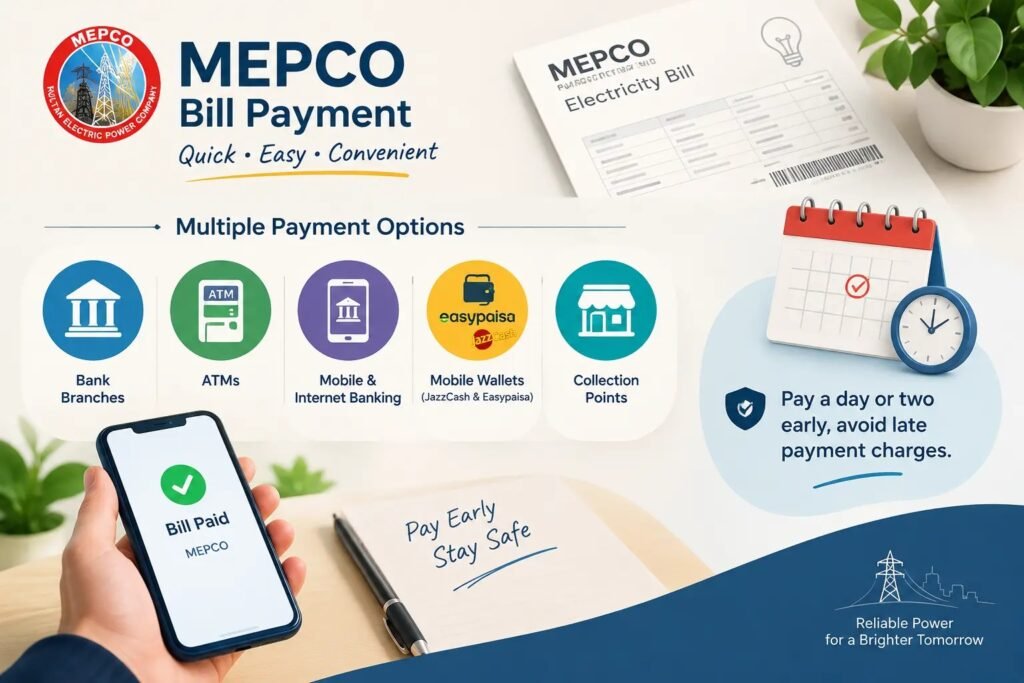
Most people now pay through their bank mobile app. Open the bill payment section, choose electricity, select MEPCO, and enter your reference number. The amount appears on its own, and you just confirm. JazzCash and Easypaisa work the same way and are very popular in smaller towns and villages, since you can also pay through their retail shops. Internet banking, ATMs, bank branches and post offices are other trusted options.
MEPCO Bill Payment Methods | Why People Choose It |
Bank Mobile App | Fast, works from home, and can save MEPCO as a payee |
JazzCash or Easypaisa | Works without a bank account, with agent shops in most towns |
Internet Banking | Easy to review the full bill on a large screen |
ATM | Quick payment while out for other errands |
Bank Branch or Post Office | Good for people who prefer paying in cash |
Keep your receipt or transaction ID after every payment. Your bill may take a few days to show the payment online. If it does not appear after about a week, visit your subdivision office with the receipt.
MEPCO Customer Services and Contacts
MEPCO customer services can be reached through these official channels.
Service | Details |
Complaint Helpline | 118, available around the clock in seven languages |
SMS Complaints | Send your complaint to 8118 |
Online Bill | bill.pitc.com.pk or the MEPCO bill checker on this page |
Official Website | mepco.com.pk |
Head Office | Khanewal Road, Multan |
Local Help | Your subdivision office, named on your bill |