LESCO Bill Check Online 2026
Lahore runs on electricity all year. Fans and air conditioners in the long summer, water motors every morning, and shops that stay open late into the night all add up on one monthly bill. When that bill gets lost, arrives late, or shows a number that does not feel right, a LESCO bill check online gives you the answer in seconds, without visiting any office.
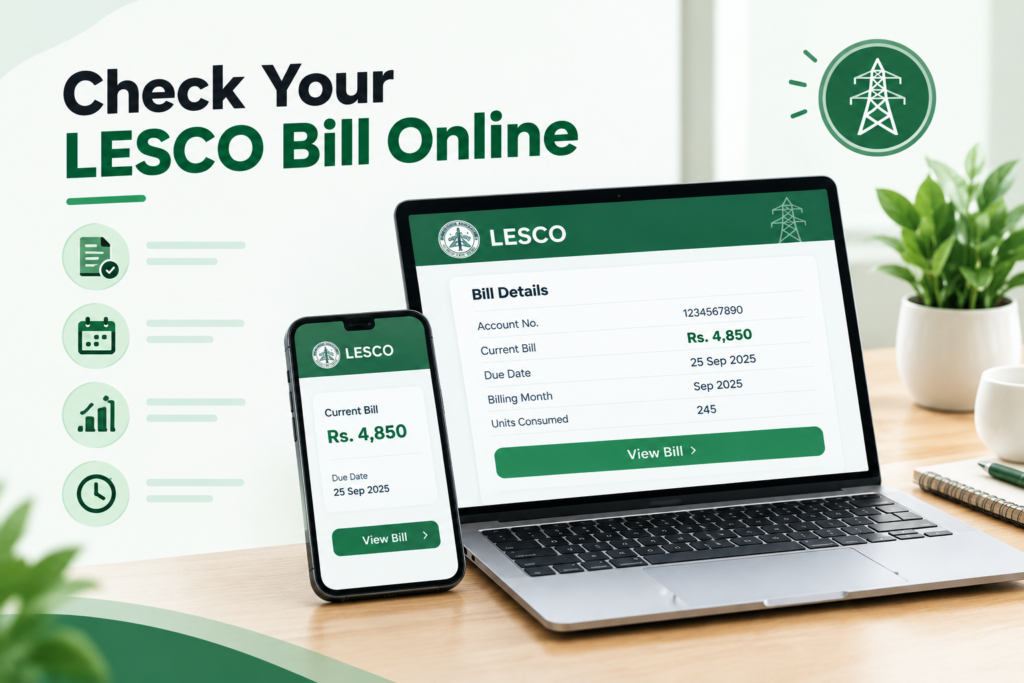
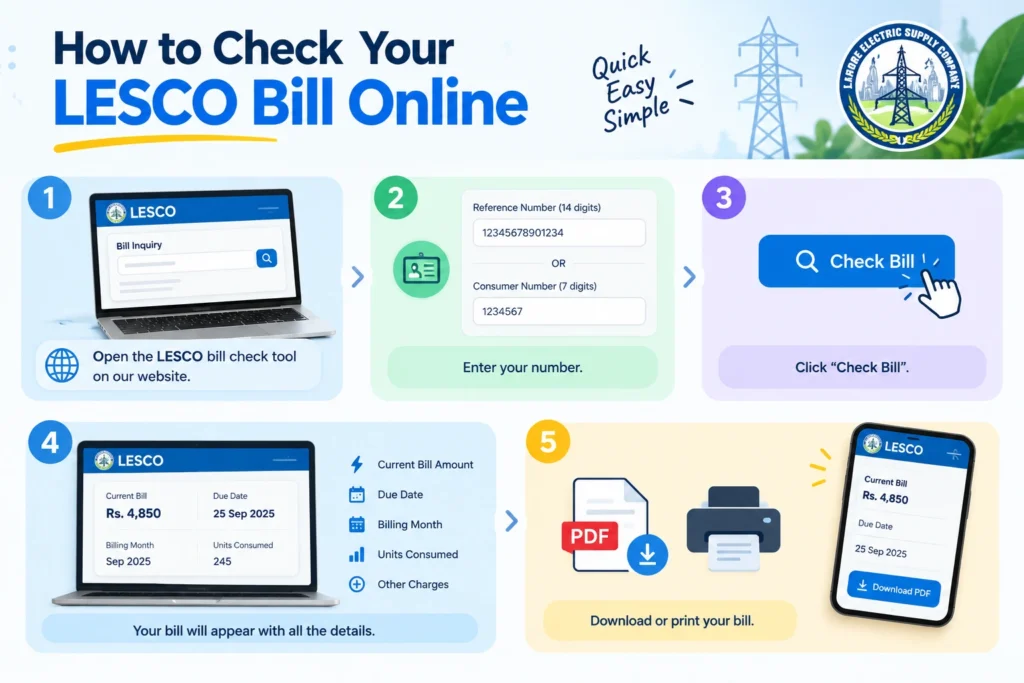
For a LESCO bill check online, take the 14 digit reference number from the top of any old LESCO bill and enter it in the LESCO bill checker on this page. You can also use the official PITC portal at bill.pitc.com.pk with LESCO selected. Press the check button, and your current bill, amount, due date and units used will appear. Save it as a PDF, print it, or pay it through your bank app, JazzCash or Easypaisa.
LESCO Bill Check
Enter your Reference Number or Consumer Number
What Is LESCO?
LESCO stands for Lahore Electric Supply Company. It is one of the government owned power distribution companies in Pakistan, and it delivers electricity to homes, shops, factories and farms across five districts of central Punjab. It is also one of the busiest companies in the country. In one review of the national 118 complaint helpline, the Federal Energy Minister noted that LESCO had registered more than one million complaints, the highest of any company in that period. That number shows just how many people depend on LESCO every day.
LESCO does not decide its own rates. Its prices are set by the National Electric Power Regulatory Authority (NEPRA) and the federal government. Its bills are prepared through the LESCO online billing system, which runs on the platform of the Power Information Technology Company (PITC). This is the same system that powers every LESCO bill online check.
Your circle does not change how a LESCO bill check online works, since every circle uses the same system. To manage such a large area, LESCO splits its work into eight operation circles. Each circle has its own divisions and subdivision offices, where you can go for billing help.
LESCO Operation Circle | Area |
Northern Circle | Northern parts of Lahore |
Central Circle | Central parts of Lahore |
Eastern Circle | Eastern parts of Lahore |
Southern Circle | Southern parts of Lahore |
Kasur Circle | Kasur district |
Okara Circle | Okara district |
Sheikhupura Circle | Sheikhupura district |
Nankana Circle | Nankana Sahib district |
If you are not sure which circle you belong to, look at the subdivision name printed on your bill. Your nearest subdivision office will also tell you in a moment.

Check Your LESCO Bill in Under a Minute
The LESCO bill checker at the top of this page is the fastest way to see your bill. It needs no login, no app and no payment. Follow these steps:
- Pick up any old LESCO bill and find the 14 digit reference number in the top section.
- Enter the number in the LESCO bill checker. Type digits only, with no spaces or dashes.
- Press the check button and wait a few seconds.
- Your LESCO online bill opens in the same layout as your paper bill. You can now read, save or print it.
The data comes straight from the official PITC billing record that LESCO itself uses. We never change any figure, so the amount you see after your LESCO bill check online is the amount LESCO expects you to pay.
What Shows Up on Your Screen
Once the bill loads, you can do a LESCO bill amount check, see the LESCO bill due date, and view the LESCO electricity units consumed for the month. You will also see your name, address, tariff, any arrears, and a 12 month history of your units and payments. For a quick LESCO current bill check, the amount and due date are the two numbers to look at first.
Your Two Key Numbers: Reference Number and Consumer ID
Every LESCO bill carries two numbers that identify your connection, and either one can start your LESCO bill check online. Knowing the difference saves time at the bank, on the phone, and on any bill website.
LESCO Bill Check by Reference Number
The LESCO bill reference number is a 14 digit number printed near the top of the bill. A LESCO bill check by reference number is the method that works on every platform, from this page to the official PITC portal to bank apps. Each meter has its own reference number, so a house with a separate meter for the upper portion will have two numbers and two bills.
The digits follow a pattern. The first two show your billing batch, which decides the day your meter is read. The next five point to your subdivision office, and the last seven identify your own connection. That is why your neighbor may get a bill a few days before or after you. People often call it the LESCO meter reference number, but you will find it on the bill rather than on the meter.
LESCO Bill Check by Consumer ID
Your consumer ID is a shorter number printed near the reference number. Some tools allow a LESCO bill check by consumer ID, which helps when you only have this number saved from a complaint or a connection form. If a LESCO consumer ID check does not bring up your bill, switch back to the reference number.
No Bill at Home? Ways to Find Your Number
You cannot do a LESCO bill check online without a number, so finding it comes first. Renting is very common in Lahore, and many tenants never see the paper bill. If that sounds like you, ask your landlord to send a photo of any old bill on WhatsApp. If you bought the house recently, the previous owner or the property dealer may have an old bill in the sale file.
You can also check the payment history in your banking app, JazzCash or Easypaisa, where the reference number is usually saved after the first payment. Once you have the number, your LESCO bill check online takes seconds. If none of these work, call 118 or visit your LESCO subdivision office with your CNIC and address. Finding your number is free, so never pay anyone for it.
LESCO Duplicate Bill
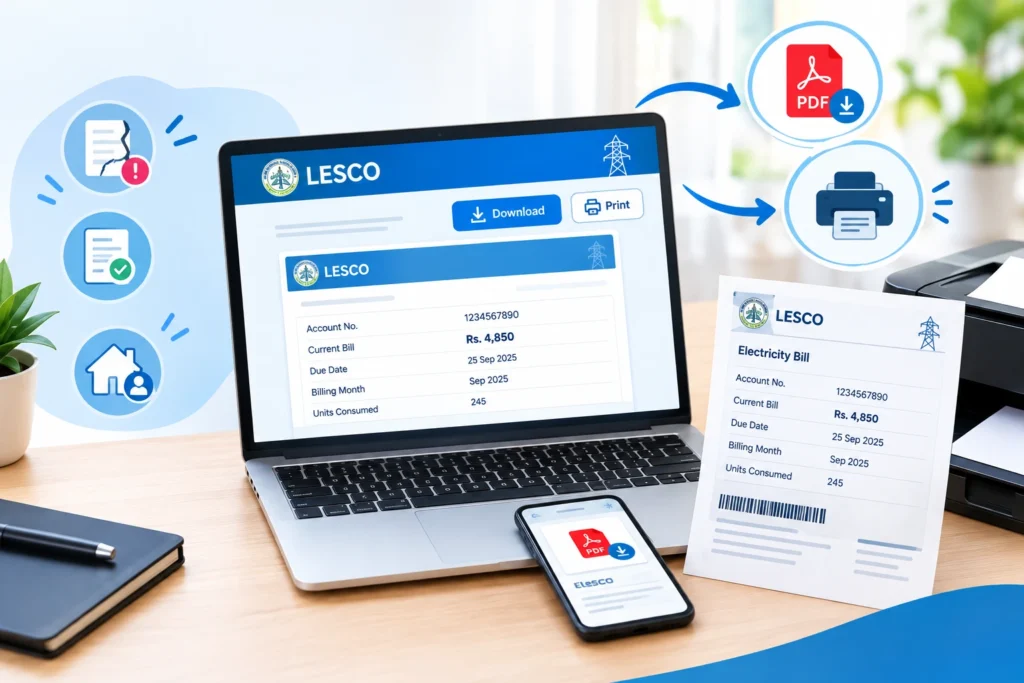
A LESCO duplicate bill is an exact copy of your official bill. It has the same reference number, amount, due date and barcode, so banks and payment counters accept it just like the original. After your LESCO bill check online, here is how to save or print it on different devices. A LESCO bill download takes only a few taps.
Device | How to Save or Print Your LESCO Bill |
Android Phone | Open the browser menu, tap Share or Print, and choose Save as PDF. The file goes to your Downloads folder. |
iPhone | Tap the Share button, choose Print, then share again to save the file to Files. |
Windows Computer | Press Ctrl and P together, then pick your printer or choose Save as PDF. |
Mac Computer | Press Command and P together, then print or save as PDF. |
This gives you a clean LESCO electricity bill download PDF that you can send on WhatsApp, email to your office, or keep for your records. A LESCO bill print made this way looks just like the copy that comes to your door.
Printing at a Shop
Many photocopy and mobile shops in Lahore offer a LESCO bill printing service. If you use one, carry your saved PDF and let them print that file, rather than reading out your reference number. Ask them to delete the file from their computer once the print is done.
Why Keep a LESCO Online Bill Copy
A LESCO online bill copy is often needed for bank accounts, school admissions, rent agreements, and applications for a new connection or a load increase. If you are applying for a rooftop solar connection, your recent bills will also be part of the file. Keeping your latest LESCO duplicate bill download on your phone means you are always ready.
Reading Your LESCO Electricity Bill Without Confusion
Once your LESCO bill check online is done, take a few minutes to read the bill itself. A LESCO electricity bill has many boxes, but most people only need answers to a few simple questions. Here they are.
How Much Do I Have to Pay?
Look for two amounts at the bottom of the bill. One is payable within the due date, and the other is payable after the due date. The second amount is higher because a late payment surcharge is added.
How Many Units Did I Use?
Find the previous reading and the present reading. Subtract the first from the second, and you get your units. The bill also prints this figure for you. Your units decide your slab and your rate, so this is the most important number on your LESCO monthly bill.
Is My Usage Normal?
Look at the bill history box, which shows the last 12 months. Compare this month with the same month last year. A Lahore bill in July will always be higher than in February, so comparing the same months gives you a fair picture.
What Are All These Charges?
The table below explains the common LESCO electricity charges in simple words.
Charge | Simple Meaning |
Cost of Electricity | The price of the units you used, based on your slab |
Fixed Charges | A monthly charge tied to your usage category, under the 2026 structure |
FPA | Fuel Price Adjustment, which rises or falls with fuel costs and is set by NEPRA |
QTA | Quarterly Tariff Adjustment from regular tariff reviews |
FC Surcharge | A surcharge used to repay power sector debt |
Electricity Duty | A provincial duty on electricity use |
GST | General sales tax |
Income Tax | Applies in some cases, such as commercial connections or larger bills |
Arrears | Any unpaid amount carried from earlier months |
Average Bills and Defective Meter Codes
This is a topic most bill guides skip, but it affects thousands of LESCO customers. When a meter stops working properly, burns out, or cannot be read, LESCO may issue an average bill. Instead of your real units, the bill is based on an estimate, often linked to your past usage. The bill usually shows a special code that marks the meter as defective.
In December 2025, The Express Tribune reported that around 102,000 single phase and 2,400 three phase meters in the LESCO region had been declared defective or burnt. Many customers said they were paying inflated average bills for months while waiting for new meters, and NEPRA asked LESCO management to explain the delay.
If your LESCO bill online check shows an estimated reading or a defective meter code, take these steps. First, look at your meter and see whether its display is working. Second, take a dated photo of the meter. Third, file a complaint for meter replacement through 118 or at your subdivision office, and ask for a complaint number. Once a new meter is fitted, ask the office to adjust your average bills against your real usage. Keeping your photos and complaint numbers makes this adjustment much easier.
LESCO Electricity Charges in 2026
The 200 Unit Rule
Homes that use 200 units or less each month are counted as protected and pay lower rates. LESCO looks at your usage over the past six months to decide this. Crossing 200 units in a single hot month can move you to the higher non protected rates for months afterward. For many Lahore families, June to August is when this happens most.
Fixed Charges
In February 2026, NEPRA approved fixed monthly charges for domestic consumers, including protected users. Under the reported structure, protected users pay Rs200 for up to 100 units and Rs300 for up to 200 units, while other homes pay amounts that rise with usage up to Rs675. Lifeline consumers remain exempt.
Monthly and Quarterly Adjustments
The FPA and QTA can make your bill go up or down even when your units do not change. If your total looks odd, these two lines usually explain why. A regular LESCO bill check online makes these changes easy to notice.
Good to Know: Per unit rates change after NEPRA decisions and government notifications. For the exact current rates, check the tariff section on the NEPRA website or the rates printed on your own LESCO bill.
LESCO Electricity Bill Verification Checklist
A two minute check after every LESCO bill check online can catch costly mistakes. Use this simple table each month for LESCO electricity bill verification.
What to Check | What Should Be True |
Name and Address | They match your house and connection |
Tariff | Residential for a home, commercial for a shop |
Present Reading | Matches or is very close to the number on your meter |
Units Used | Similar to the same month last year |
Meter Status | No defective or estimated code unless your meter is actually faulty |
Arrears | Zero if you paid last month on time |
Reading Days | Around 30 days between readings, not much more |
If any line fails this check, take a photo of your meter right away and move to the correction steps below.
LESCO Bill Correction
LESCO bill correction works best when you act early and carry proof. The earlier your LESCO bill check online, the more time you have before the due date. Here is the path most customers follow.
Step 1: Call 118 or Send an SMS
The national 118 helpline is now the main complaint channel for all power distribution companies, including LESCO. According to the Ministry of Energy, it lets you file complaints in seven languages, track their progress, and get feedback once they are resolved. If a complaint is not solved in time, it moves up to senior officers automatically. You can also send a complaint by SMS to 8118.
Step 2: Visit Your Subdivision Office
For billing errors, a visit often works faster. Go to the revenue section or customer services desk of your subdivision office with your bill, CNIC, dated meter photos and payment receipts. Explain the issue clearly and ask for a corrected bill or a written complaint number.
Step 3: Escalate if Needed
If your complaint stays unsolved, you can raise it on the Pakistan Citizen Portal or file a complaint with NEPRA through its official website. Attach your LESCO complaint number and all your proof.
LESCO Online Bill Payment
After your LESCO bill check online, paying is just as quick. Every method below needs only your reference number, and most show the payable amount automatically.
Bank mobile apps are the easiest choice for most people. Open the bill payment section, choose electricity, select LESCO, and enter your reference number. Saving LESCO as a payee makes next month a one tap job. JazzCash and Easypaisa work the same way through their utility bill menus, and they are handy if you do not have a bank account. You can also pay through internet banking, at any ATM with a bill payment option, or over the counter at a bank branch or post office with your printed bill.
LESCO Bill Payment Methods | Best For |
Bank Mobile App | People who want the fastest payment from home |
JazzCash or Easypaisa | People without a bank account |
Internet Banking | People who like to review the full bill on a big screen |
ATM | Quick payment while you are out |
Bank Branch or Post Office | People who prefer paying in cash |
Always save your transaction ID or receipt. Your bill may take a few days to show the payment, so do not worry if the old amount appears the next morning.
Why Paying on Time Matters More Than Ever
LESCO has been running a strong recovery drive against unpaid bills. According to figures reported by Business Recorder, LESCO recovered more than Rs1.67 billion from 43,093 defaulters between July and December 2025, with action taken across all its circles. Customers with long unpaid bills risk disconnection, and getting power restored can take time and extra charges. A quick LESCO bill check online each month, followed by payment before the due date, keeps you far away from this trouble.
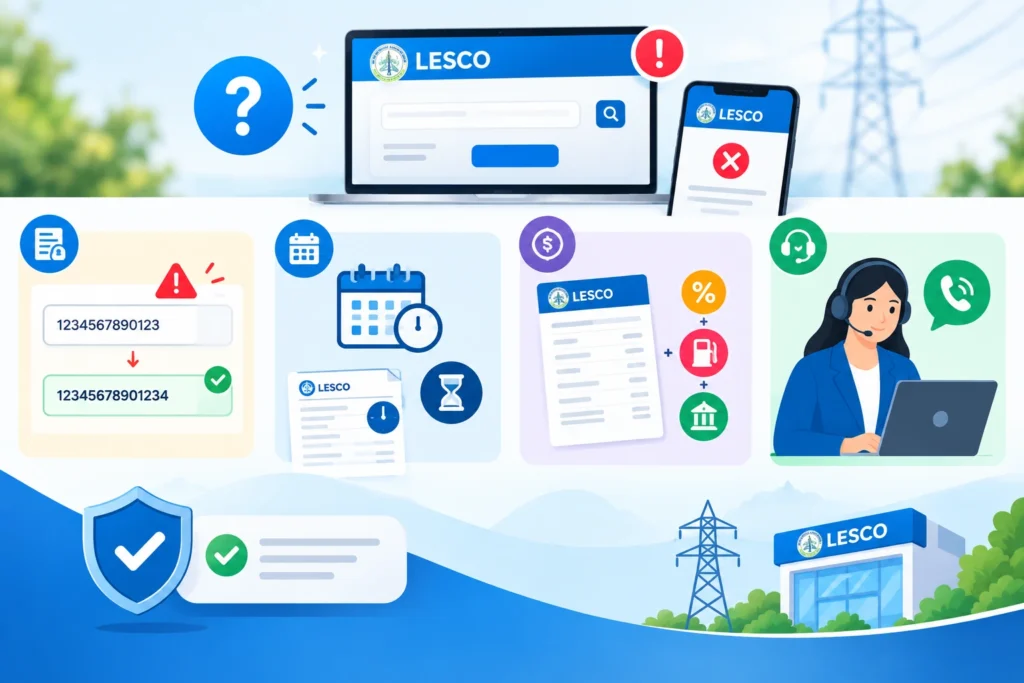
LESCO Customer Services and Contact Details
LESCO customer services are available through several channels. Here are the main ones.
Service | Details |
Complaint Helpline | 118, available around the clock, in seven languages |
SMS Complaints | Send your complaint to 8118 |
Online Bill | bill.pitc.com.pk or the LESCO bill checker on this page |
Official Website | lesco.gov.pk |
Head Office | LESCO House, 22-A Queens Road, Lahore |
Local Help | Your subdivision office, printed on your bill |
Ways to Cut Your LESCO Bill
A LESCO bill check online shows where your money goes, and a few habits can bring the total down. In summer, read your meter around the middle of the month, and if you are close to 200 units, cut back until the next reading. Keep your air conditioner at about 26 degrees Celsius and clean its filters every few weeks, since Lahore dust clogs them quickly. Run water motors, irons and washing machines outside the evening peak hours. In winter, electric heaters can push units up fast, so use them for short periods only. Replace old bulbs with LEDs and switch appliances off at the wall at night.